
Database protection
- Microsoft SQL Server
MindShield Backup Platform was created by the team behind Mind Merge Data Recovery Services after more than two decades of helping organizations recover from storage failures, ransomware, database corruption and failed backup strategies.
Most backup platforms are built around creating backup files. MindShield was developed from the perspective of specialists who have spent years recovering businesses after hardware failures, ransomware attacks, database corruption and unsuccessful recovery attempts.
That experience changes the question from “Did the backup finish?” to “If disaster happens tomorrow, can this business recover?”
Every feature in MindShield is influenced by practical recovery experience rather than theoretical scenarios. We design protection workflows around the questions that matter during a real incident.
Protection workflow
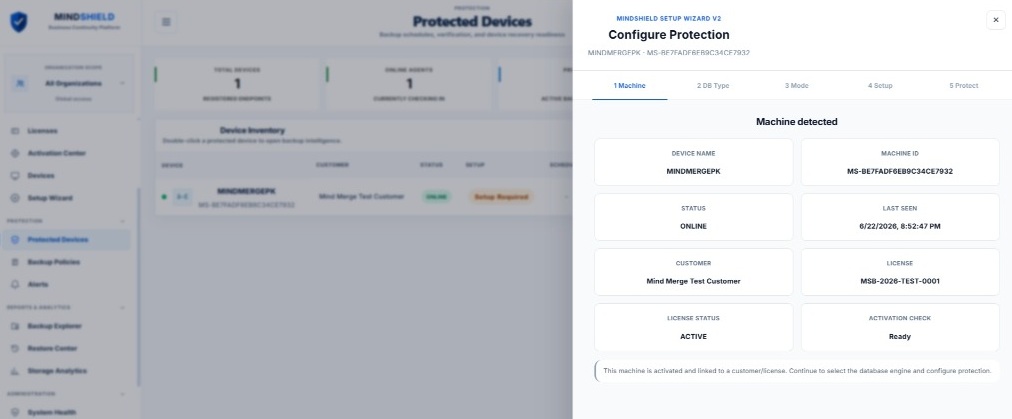
A controlled five-step workflow helps administrators bring Microsoft SQL Server workloads into protection without unnecessary operational complexity.
Deploy the lightweight MindShield Windows Agent to the system that hosts the protected workload.
Identify supported Microsoft SQL Server instances and databases through a controlled setup workflow.
Select the workload, schedule, retention settings and local storage destination.
Run scheduled or manual backups with compression and AES-256 encryption.
Use guided recovery planning when a protected database must be restored.
Current private beta capabilities
The private beta is intentionally limited to capabilities that are currently implemented and under controlled validation.
Additional workloads, storage providers and recovery capabilities are under active development and will be announced only after production validation.
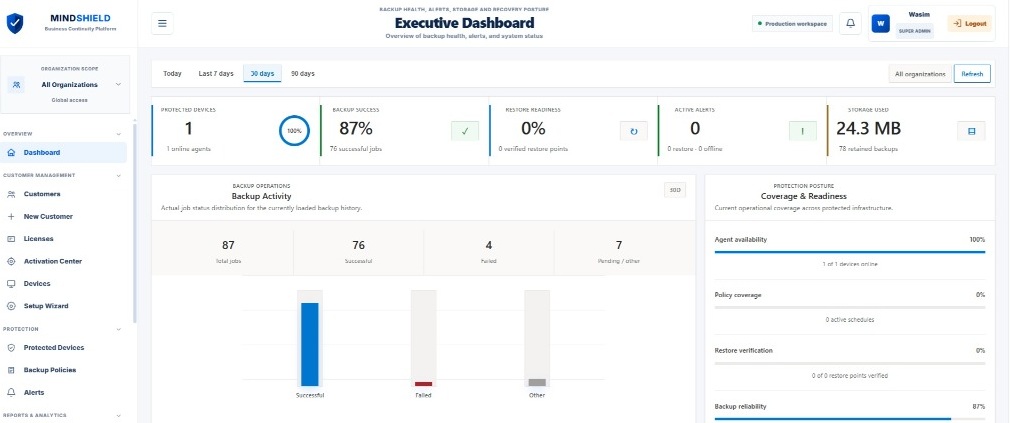
The MindShield dashboard gives authorized teams a centralized view of device availability, backup outcomes, alerts, storage use and recovery readiness. Operational signals are organized to help administrators identify gaps before they become data-loss events.
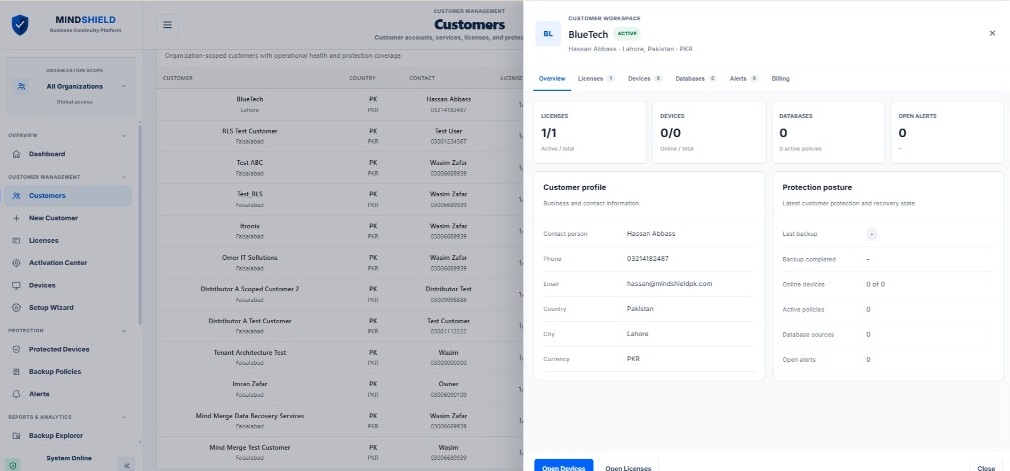
Organizations, customers, licenses, devices and protection status can be managed from one administrative experience. The platform is being designed to support both direct customer operations and multi-organization service models.
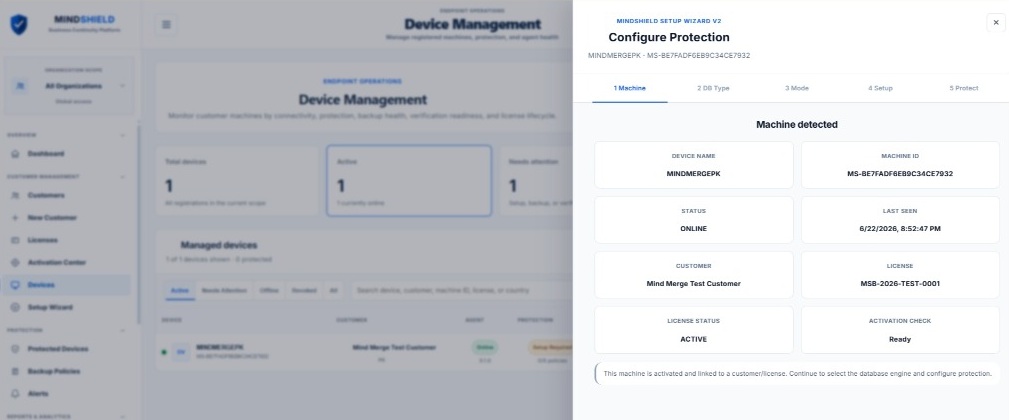
A lightweight Windows Agent connects the protected system to the MindShield Cloud API through authenticated HTTPS. Administrators can review device status, heartbeat activity and setup readiness from a centralized dashboard.
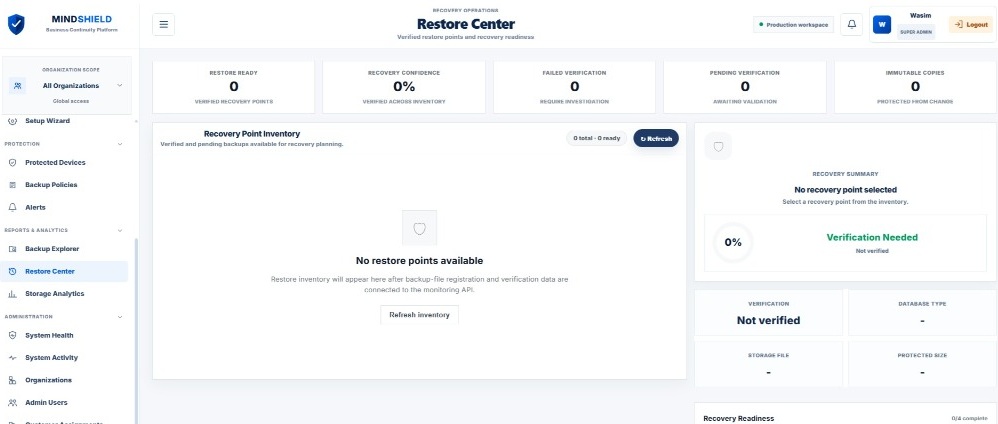
The Restore Center is designed to organize recovery information, recovery-point readiness and guided recovery planning. It helps administrators approach an incident with a defined process instead of making decisions for the first time during an emergency.
Designed for operational databases
MindShield is intended for environments where database availability directly affects operations, revenue, service delivery or regulatory responsibility.
The public website should describe only capabilities that exist today. Planned features are identified as roadmap items rather than presented as available functionality.
MindShield Backup Platform is currently available through a controlled private beta focused on Microsoft SQL Server environments.
The current private beta supports Microsoft SQL Server. Additional database engines and storage providers will be announced only after production validation is complete.
The current private beta uses administrator-configured local storage. Additional storage destinations are planned for future releases.
The present release provides guided recovery. Automated and expanded restore capabilities remain part of the product roadmap.
Private beta participation is reviewed according to workload, deployment requirements and the level of operational feedback available during the pilot.